
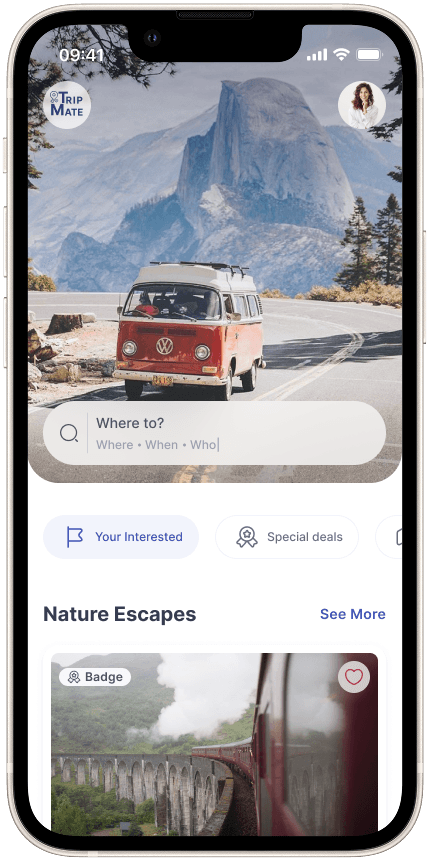
[Project Overview]
Designing TripMate from Scratch with Atomic Design and a Scalable UI Kit
TripMate was a class-based group project where we designed a travel planning and tour booking app concept from scratch. Based on the project brief, our goal was to create a clean, consistent, and scalable mobile UI for exploring destinations, viewing tours, and planning trips.
[Project Goal]
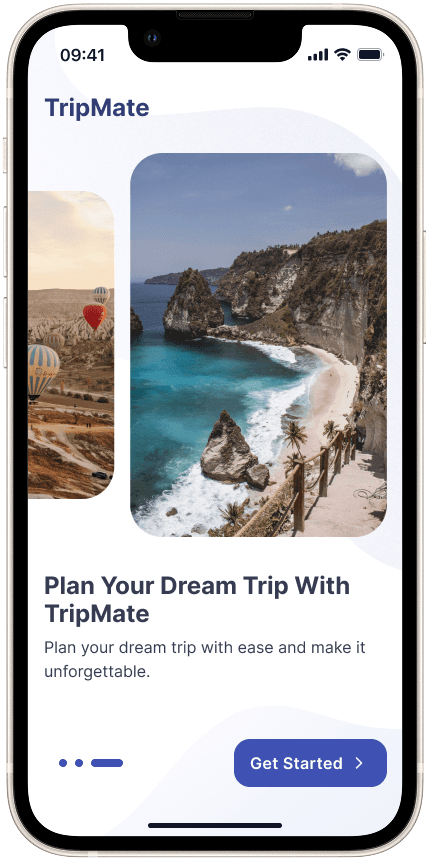
Through this project, we practiced core UI principles such as Atomic Design, typography hierarchy, clean layouts, auto layout, reusable components, and a structured color style guide. The outcome was a flexible UI kit and a set of polished screens built with consistency and scalability in mind.
[Industry]
Travel / Tourism
[Team]
Tree
[My Role]
UI Designer
[Platforms]
Mobile App
[Timeline]
Jan 2025 – Mar 2025
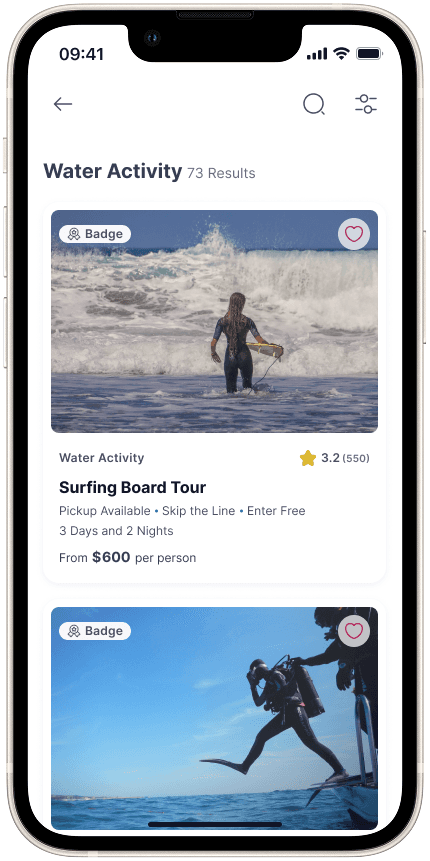
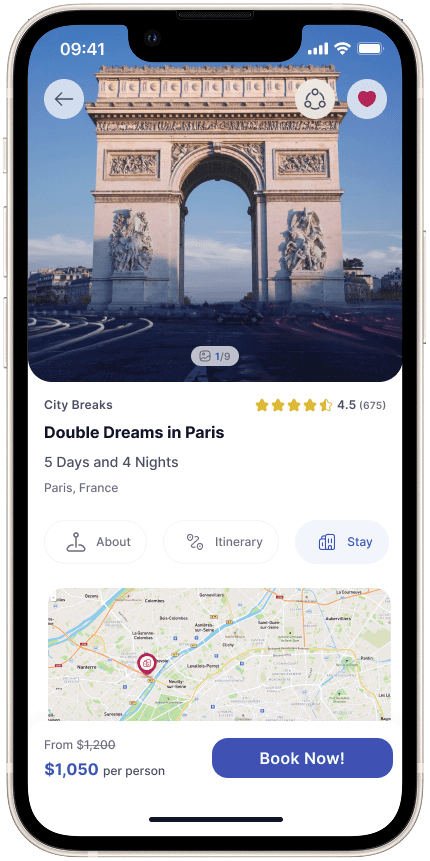
[Some Pages of Our Design]
[Studying Travel App UI Patterns]

Understanding Travel App UI Patterns
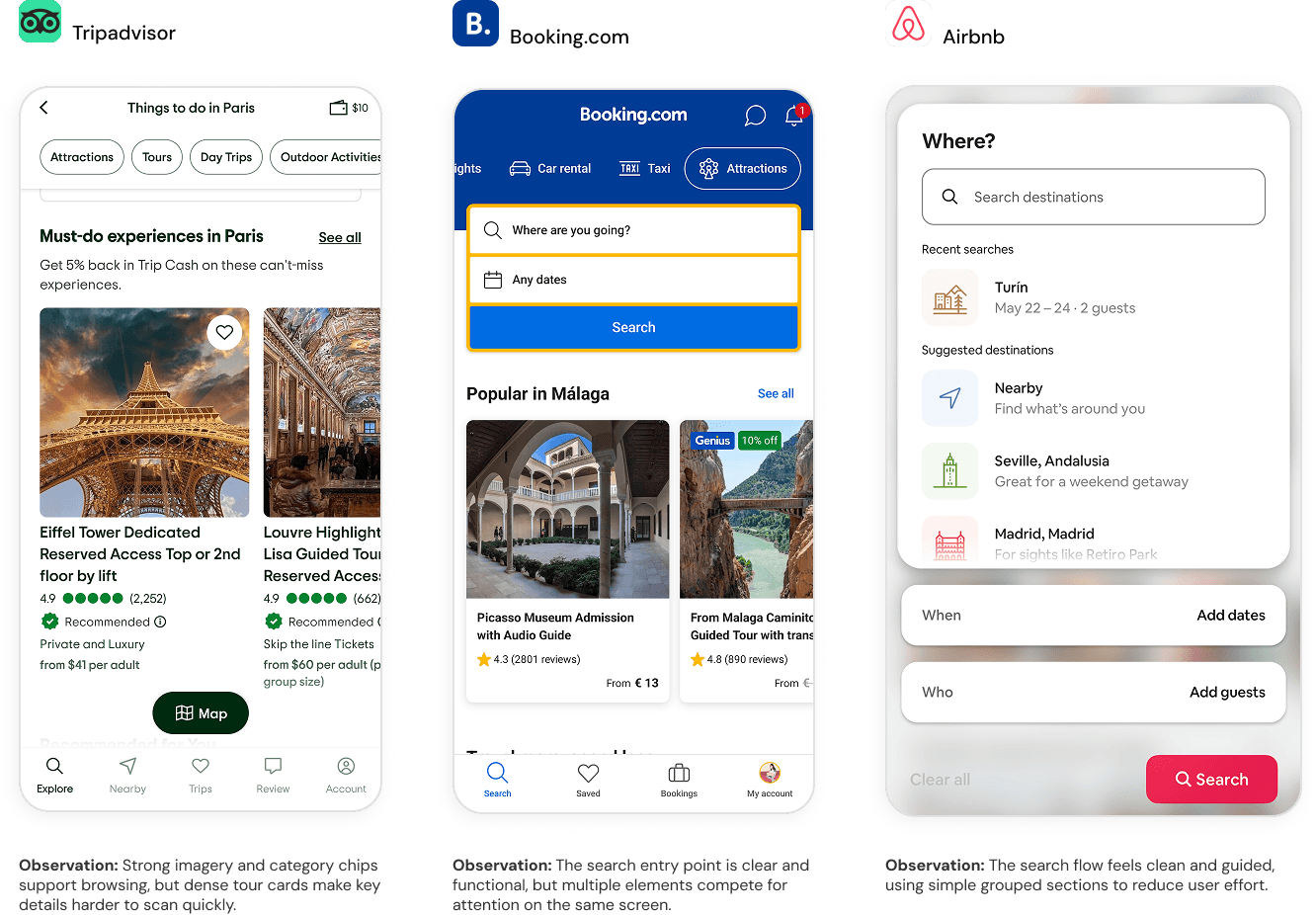
To shape the visual direction of TripMate, we reviewed several travel and tour-booking platforms such as:
Airbnb
Booking.com
GetYourGuide
TripAdvisor
[Patterns Worth Learning From]
Competitor platforms also showed strong UI patterns that helped us define what a modern travel interface should feel like: visual, scannable, and easy to compare.
Card-based layouts make it easier to compare tours, places, prices, and ratings.
Clear review and rating patterns help build trust quickly.
Strong typography hierarchy highlights key details such as price, duration, location, and availability.
Minimal color palettes keep the interface calm and allow travel content to stand out.
Icons and small visual cues help users scan features faster.
[Where Competitors Struggle]
Many travel platforms show a large amount of information at once, which can make the interface feel crowded and harder to scan.
Some pages include too much text and metadata, making key details harder to notice quickly.
Visual hierarchy is sometimes unclear, so users need to read more instead of scanning important information.
Cards often contain too many competing elements, such as price, rating, location, badges, and descriptions.
Tour detail pages can feel long and dense when itinerary, policies, reviews, and booking details are not clearly separated.
Too many filters or navigation options can make the experience feel overwhelming.
Inconsistent spacing and component styles can make the UI feel less polished.

[Style Guide]
Building a Consistent Visual Foundation
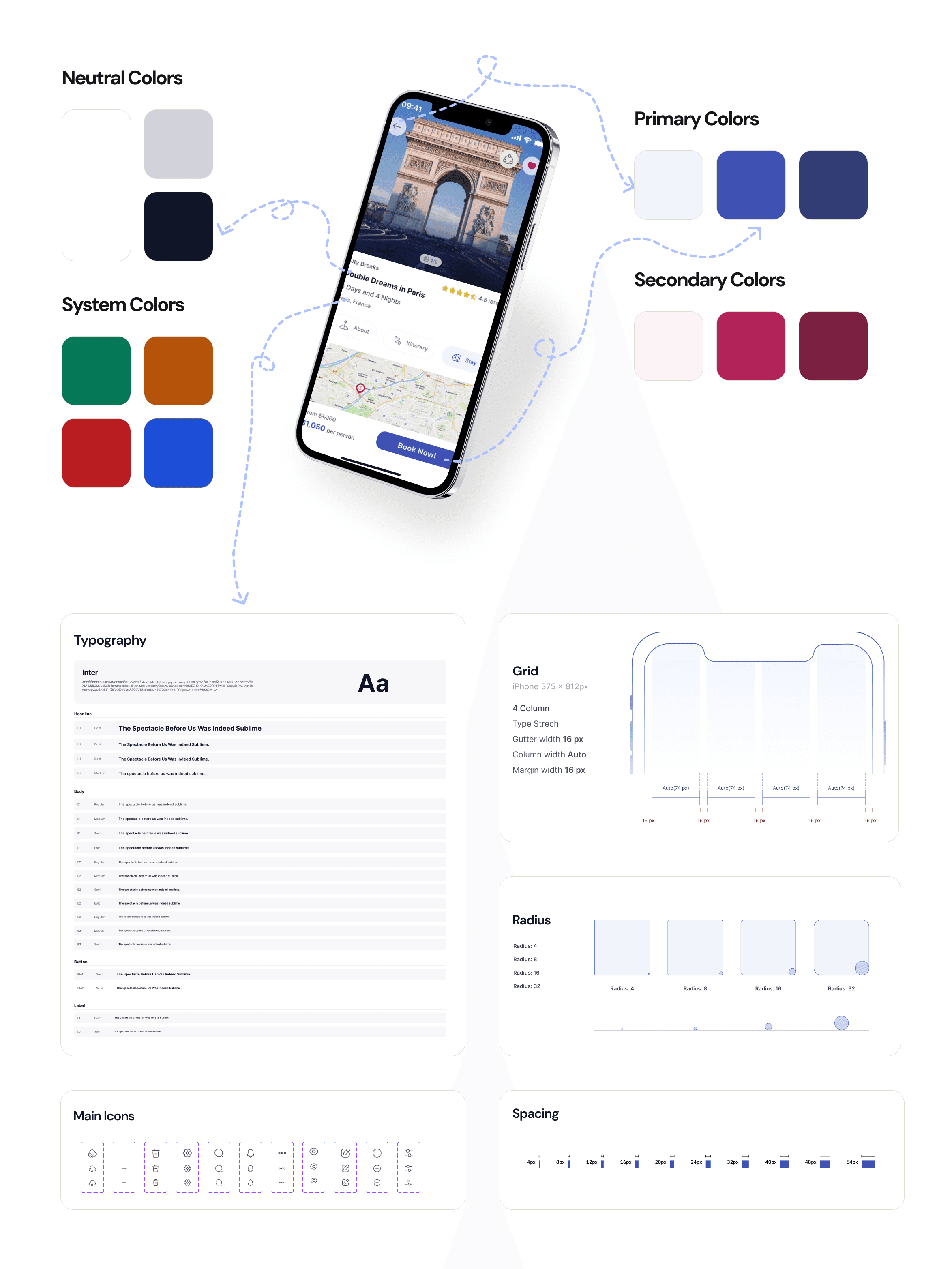
We defined a visual style guide for TripMate to create a clear, friendly, and consistent travel experience. The guide brings together the product’s colors, typography, grid, and icons, helping each screen feel visually connected and easy to scan.
The palette combines trustworthy blues, soft neutrals, and warm secondary colors to balance clarity with a more emotional, travel-inspired look and feel.
[Design System]
Building Flexible Components with Atomic Design
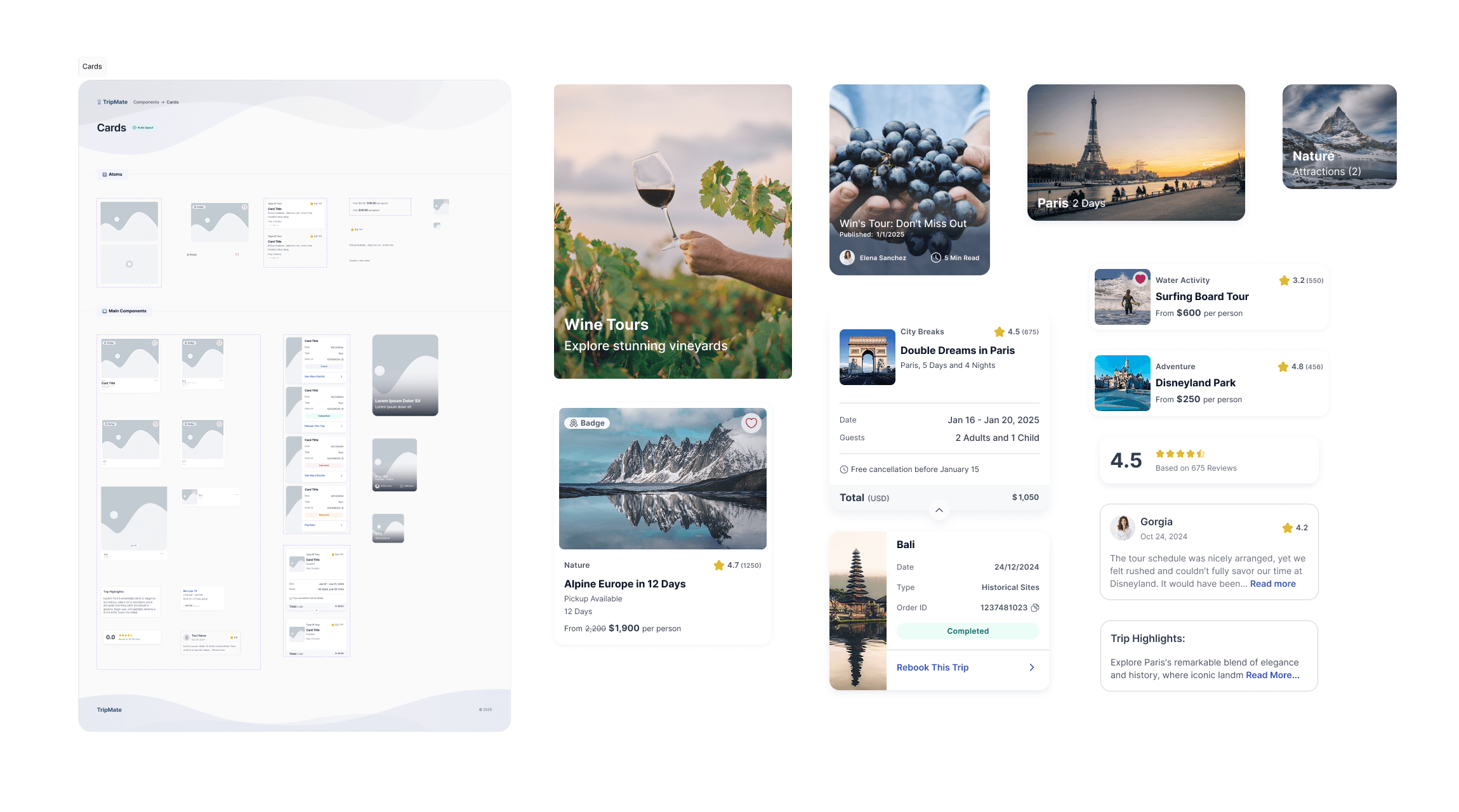
We used an Atomic Design approach to create flexible card components for different TripMate flows, from tour discovery to booking and reviews.
This is one example from our component library; the full set of components and patterns is available in the Figma project.
[Prototype]
Bringing the Experience to Life
We prototyped all TripMate screens to demonstrate the main user flows and interactions across the app.
You can watch the video below to see the prototype in action.
[TripMate on Figma Community]
Explore the Project
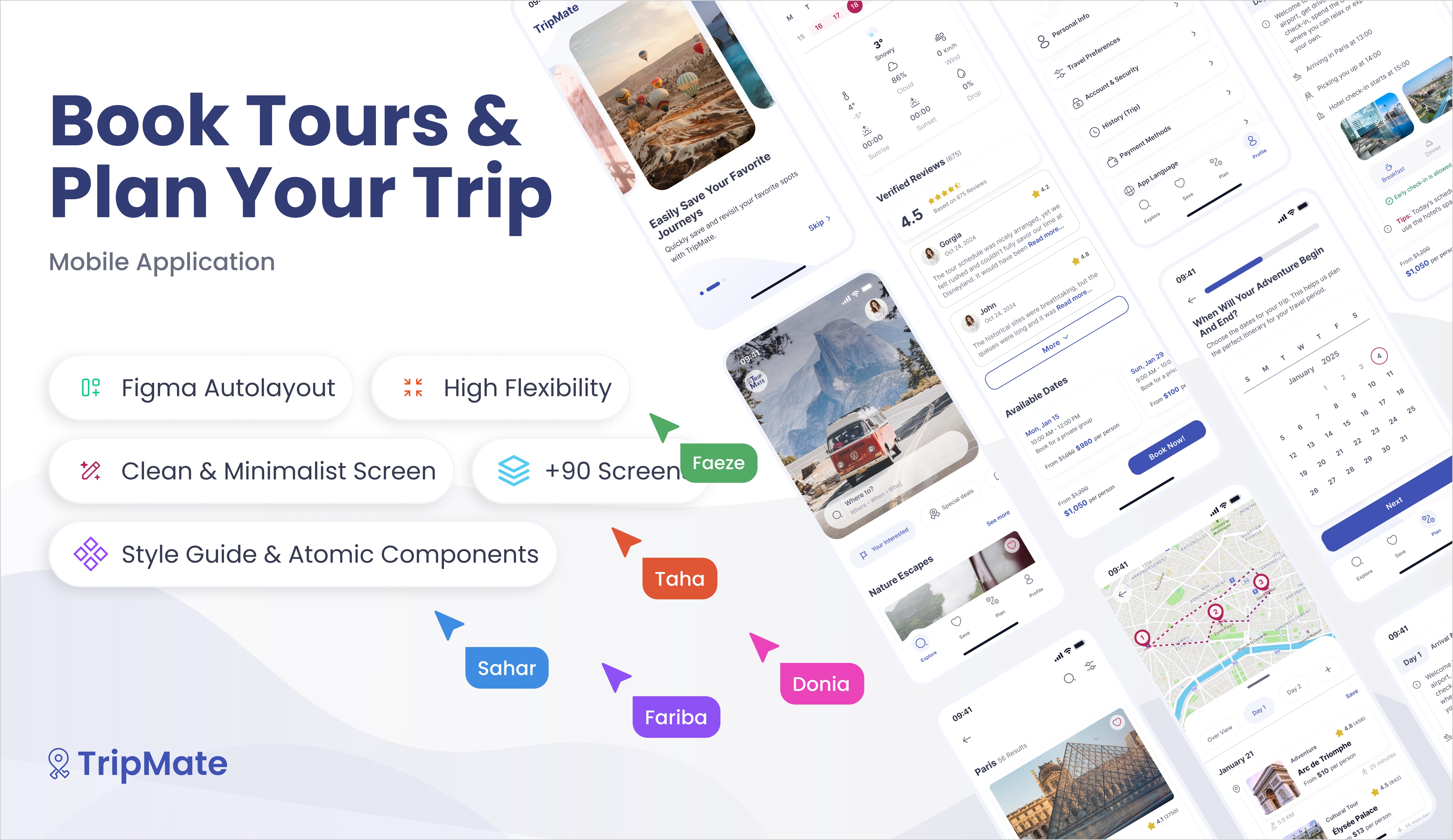
We shared TripMate on Figma Community to make the full UI Kit accessible for other designers. The file includes key screens, style guide, and component examples, so viewers can explore the structure behind the project and share their feedback with us.
[Favorite Design Decision]
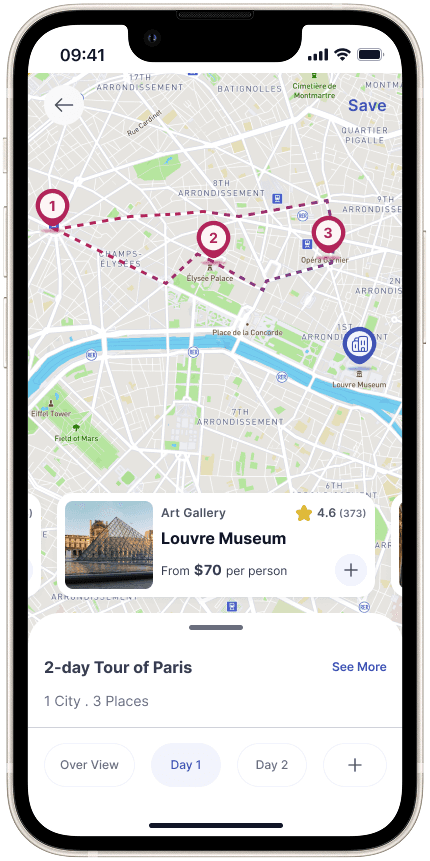
Designing a Clear Daily Itinerary
We shared TripMate on Figma Community to make the full UI Kit accessible for other designers. The file includes key screens, style guide, and component examples, so viewers can explore the structure behind the project and share their feedback with us.

[Key Learnings]
Clear Structure Matters
We learned that travel content needs strong hierarchy and grouping to avoid overwhelming users.
Consistency Builds Trust
Using consistent colors, typography, and components helped the product feel more polished, reliable, and easier to scan.
Components Help Teams Move Faster
Building reusable card patterns and UI elements helped us keep the design aligned while creating different screens.